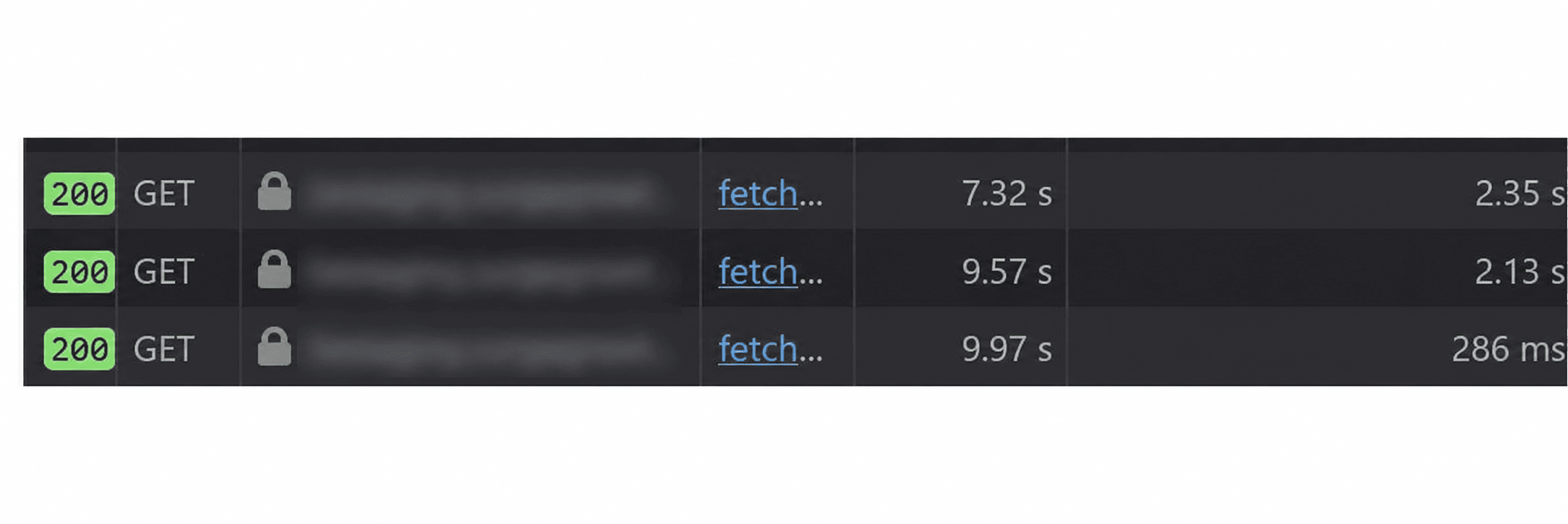
Two fields. A name and an email. That's all the billing info page renders. A form you fill once and forget. And it took four seconds to load. Four seconds to show you text that lives behind one API call. Four seconds to render two fields felt wrong, so I started tracing where the time was going.
The standard playbook
When an API feels slow, there's a mental checklist most devs run through.
Connection pooling. Reuse clients, skip the
TCPandTLShandshake on repeat calls.Caching. If the data doesn't change often, stop asking for it every time.
TTLit, store it close.Payload size. Compress it. Drop fields nobody asked for,
Stop sending the whole row when you need two columns.Indexing. The API might be fine. The query underneath it might be doing a full table scan.
Parallelism. If two calls don't depend on each other, fire them at the same time. Don't wait politely.
Timeouts and retries. Set them correctly or a single slow dependency will hold up everything behind it.
These are the right methods. I've used all of them.
The connection pooling fix I shipped here was real. But it wasn't where the four seconds were hiding. The real question was why the calls were sequential at all and parallelism was part of how we answered it.
The first suspect was the obvious one
We talk to Dodopayments for billing data. External API, different network, somewhere across the internet. I assumed the slowness was there. It usually is. External calls are where time goes to die. And there was a real problem on the backend. Every call to Dodo opened a fresh connection. New TCP handshake, new TLS negotiation, every single request.
If you've never thought about it: opening an HTTPS connection isn't free. You do a TCP handshake, then a TLS handshake on top of it. That's round trips before you've sent a single byte of actual request. The fix is boring and well known. Don't make a new client every time. Make one and keep it.
# instead of a fresh client per request
client = httpx.AsyncClient()

# make one, reuse it, let it pool connections
A persistent httpx.AsyncClient keeps the connection alive. Next call to the same host skips the handshake entirely. Connection pooling and TLSreuse, for free. I shipped it. Felt good. Then I did the math.
The numbers didn't add up
A TCP plus TLS handshake costs you something like 50 to 200 milliseconds. On a bad day, cold path, maybe 400 or 500. Call it half a second, being generous. I saved half a second. The page was four seconds slow. So where were the other three and a half seconds? The handshake fix was real. It just wasn't the answer.
The actual problem was on the frontend
I went back and read what the billing form actually did when it mounted. It wasn't one fetch. It was a chain. First it fetched the billing status to get the customer ID. Then a useEffect watched that ID, and once it appeared, fired a second fetch for the customer details. Then a third useEffect watched the customer details, and once those appeared, filled in the form. Written out, the flow looked like this:
mount
  → fetch billing status        (network)
    → re-render
      → useEffect sees the id
        → fetch customer details (network)
          → re-render
            → useEffect sees customer
              → fill the form
Read that again, slowly. Each fetch didn't just wait for the network. It waited for React to re-render before the next fetch was even allowed to start. That's the part that got me. I always thought of a waterfall as "two slow network calls in a row." But this was worse. Between each call there was a full React commit. State updates, re-render, then the next useEffect finally wakes up and starts the next request.
You're not paying network plus network. You're paying network, plus render, plus network, plus render. Serialized. Every layer waiting politely for the one before it. And both fetches separately asked Clerk for an auth token. So tucked inside that chain were extra round trips nobody asked for. The four seconds wasn't HTTP being slow. It was the page asking for things one at a time, and making React wait in between.
The fix was to stop waiting
Once I saw the waterfall, the fix became obvious. The page didn't need React to orchestrate the sequence. It already knew the sequence. Get status. Get customer. Fill form. That order never changes. There was nothing to react to. The sequence was fixed, so React didn't need to coordinate it through state changes and effects.
So I took it back. One async function. One token. No effects waiting for state to change before they're allowed to start working. Instead of fetching status, re-rendering, then fetching customer details from an effect, I fetched both back to back in the same async function.
// status and customer, one scope, no render gap between them
const status = await getBillingStatus(token)
const customer = await getCustomerDetails(token, status.dodo_customer_id)
setCustomerDetails(customer)
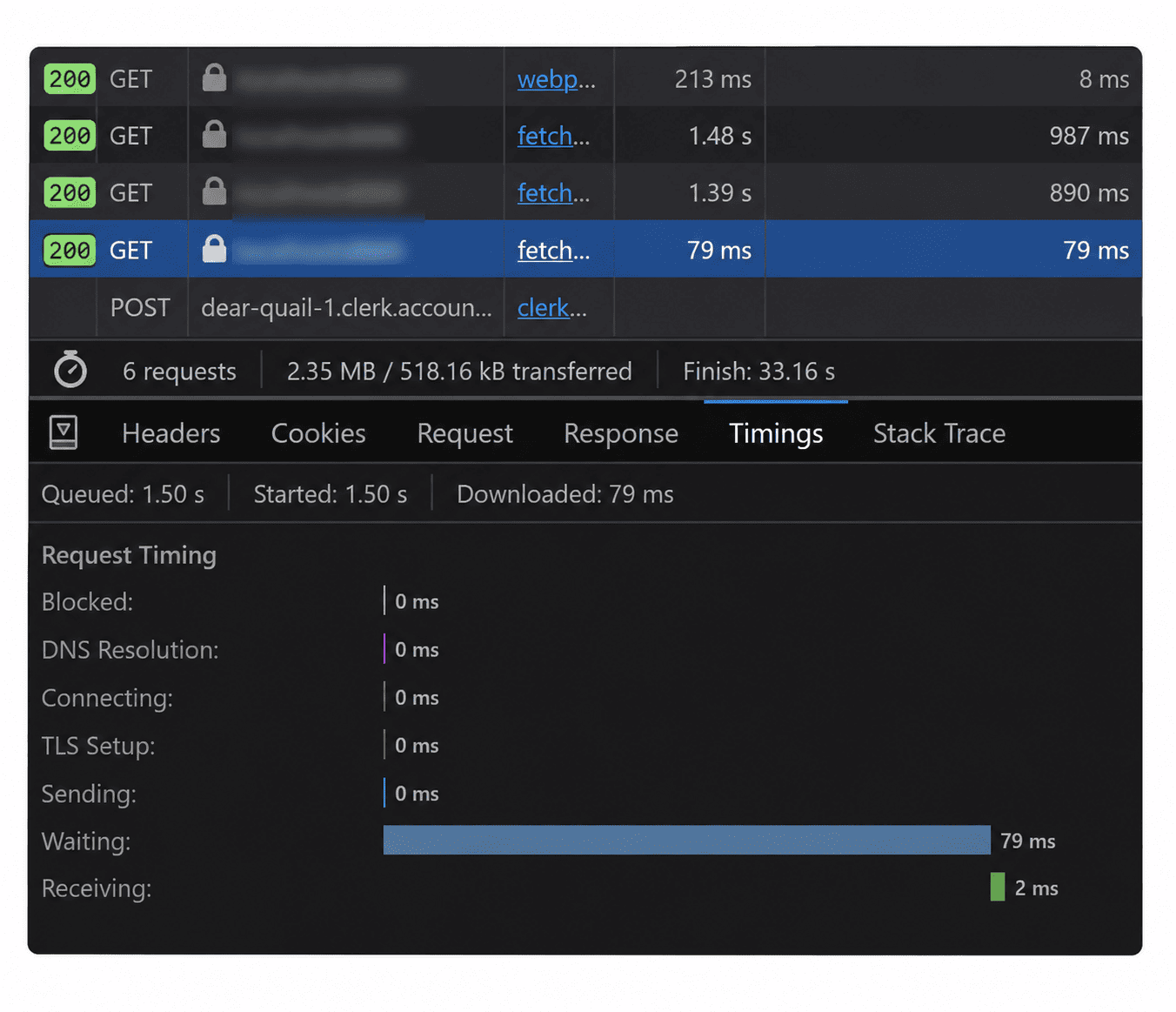
No effect watching an ID. No re-render in the middle. One token. The second call starts the instant the first returns, instead of waiting for React to come back around. That alone took the biggest bite out of the four seconds. Later it got cleaned up further. The whole chain moved to the backend. The frontend now makes one call, and the backend resolves the rest internally: the org from the token, the customer ID from the database, the details from Dodo. Two frontend round trips became one.
What I actually learned
The connection pooling fix was correct. I'd ship it again. Reusing an httpx.AsyncClient instead of rebuilding it per request is just good hygiene, and it removed a real cost. But it was the smallest part of the win, and I almost let it take all the credit.
The honest breakdown: The big chunk was the frontend waterfall. Two network calls serialized behind React re-renders, with redundant token fetches wedged in between. The medium chunk was the extra round trip. One call to the backend instead of two from the browser. The small chunk, the tail, was the handshake. The thing I noticed first.
The lesson that stuck with me isn't about HTTP or React. It's that the first slow thing you find is rarely the slow thing. A handshake is easy to see and easy to blame. A useEffect quietly waiting for a re-render before it fires the next request is invisible until you trace the whole mount, step by step, and notice the gaps between the calls. Four seconds to render two text fields. None of it was the two text fields.